
Choosing the right framework for your future application determines both its performance and the features you can build into it. A poorly-built app will overheat the user’s device and lag under everyday use. That is the root of the long-standing debate between native and cross-platform development, and, more specifically, between the two mainstream cross-platform frameworks: Flutter vs React Native.
What is it?
Google’s UI toolkit for cross-platform development
Meta’s JavaScript-based framework for native-like mobile apps
Initial release
May 2017 (stable since Dec 2018)
March 2015
Programming language
Dart
JavaScript
Created by
Meta (Facebook)
Usage rate (Stack Overflow)
9.4% of developers
8.4% of developers
GitHub stars
~170k
~122k
Rendering engine
Impeller (iOS and Android)
Native components via Fabric
Web support
Yes (via Flutter Web with WebAssembly)
Yes (React Native for Web)
Desktop support
Yes (Windows, macOS, Linux)
Partial (via partner projects for macOS, Windows, and community support for Linux)
Embedded support
Yes (Flutter Embedded)
Partial (community or partner-maintained)
Hot reload support
Yes
Yes
UI development
Uses Flutter’s own rendering layer and widget system; offers full pixel control & custom animations
Uses native UI components per platform; faster for default experiences but requires native bridging
Performance
High performance for custom UIs; compiled directly to machine code
Near-native but with small runtime overhead
Code maintainability
Single codebase, fewer platform-specific branches due to unified rendering
Often requires conditional logic and native modules for platform features
AI integration
Strong on-device inference (native ARM); first-party Gemini and Firebase AI Logic SDKs
Broad cloud-AI SDKs via JavaScript; on-device models via ExecuTorch
App size
Larger output binaries due to bundled rendering engine and assets (~12 MB+ for minimal builds)
Smaller binaries by default since it uses system-native views (~7 MB+ for minimal builds)
Used by
Google Pay, BMW, Toyota, ByteDance, eBay
Facebook, Instagram, Pinterest, Shopify, Microsoft Office
Because React Native and Flutter are the top cross-platform mobile development frameworks that use platform-agnostic native components, we will describe these two in more detail below.

What is Flutter? It is an interface-building tool that uses the Dart programming language. In other words, it’s a Google UI framework for building natively compiled applications. Flutter targets mobile, desktop, web, and embedded platforms from a single codebase. It uses Dart’s ahead-of-time compiler to generate hardware-optimized machine code for ARM and Intel architectures.
Since its release in 2018, Flutter has evolved into a stable and feature-rich SDK. It now supports app development for iOS, Android, Windows, macOS, Linux, web browsers, and embedded devices such as smart displays and infotainment systems.
Before pointing out the final verdict in the Flutter vs React Native comparison, let’s start with the Flutter review.
Although mobile devices dominate our everyday lives, it doesn’t seem like Flutter is going to settle for mobile only. With Google behind it and a fast-growing community, the development team works hard to build a truly cross-platform framework that covers:
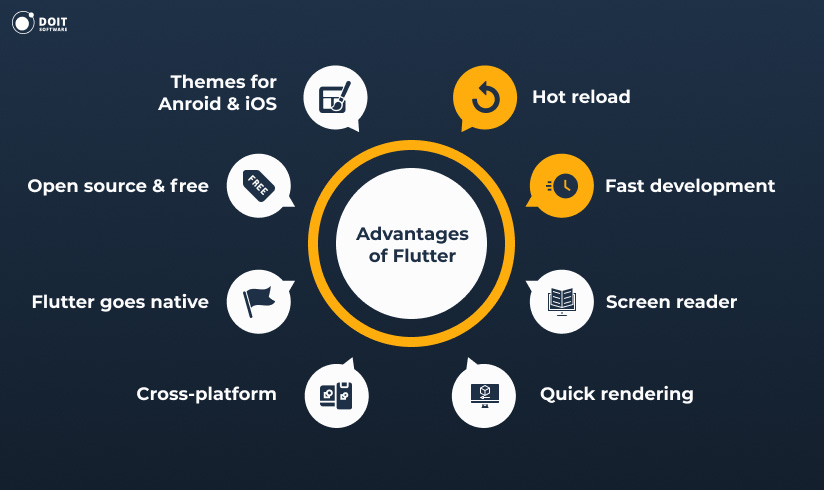
The top 5 advantages of Flutter app development are as follows.
Faster development and deployment thanks to the built-in features, like “hot reload”. The latter compiles the code ahead of time and displays an app preview before the project is rebuilt after minor code changes. Faster development coupled with the tool’s cross-platform nature translates into high speed-to-market.
Quality documentation, which is indispensable for open-source projects. The official Flutter.dev itself is enough to start building projects without prior Flutter experience. Any time some information or tools is missing, the community itself closes the gap with custom articles and open git repositories for unique use-cases. The ecosystem is also supported by third-party tutorials, sample projects, UI templates, and plugins available on pub.dev.
Feature-rich user interfaces that are fully customizable down to the last pixel. The layered architecture produces highly detailed UI components without sacrificing the speed of rendering. On top of that, Flutter includes modern UI libraries for both Android and iOS, including Material 3 components with adaptive theming and Cupertino widgets with iOS styling.
Broad device and platform reach. Flutter runs across current and older Android and iOS releases and ships first-party builds for Windows, macOS, Linux, and embedded devices.
Flutter UI is separated from native UI: it renders its UI using its own engine, so it doesn’t depend on OEM widgets. Thus, Flutter developers can build glitch-free interfaces across platforms even where native UI elements are missing.
The best Flutter apps now include BMW’s My BMW app, Toyota’s infotainment UI, and of course, some Google services, like Google Ads and Google Pay.
The aforementioned powerful features of the framework listed above do not necessarily make it the winner of Flutter vs React Native contest. As you’ll see, it loses advantage in certain circumstances.
Smaller talent pool
While Dart has improved with version 3.0 and is easier to learn than before, Flutter developers remain harder to find compared to JavaScript or React Native specialists. Dart still ranks lower in mainstream adoption.
Dynamic evolution
It is not a definite downside of the framework, but rather a challenge. Frequent changes to the development environment mean a product can behave differently after each major update, sometimes in unexpected ways. Features like Impeller or updates to Material 3 may call for adjustments to your codebase.
Project size
Flutter’s self-contained UI comes at a price: project files occupy more space than those created with lighter tools. Flutter apps tend to have larger APK and IPA sizes because they bundle the rendering engine and core libraries. Deferred components and tree-shaking have reduced this, but lightweight apps or wearables may still benefit from a smaller framework. On raw size, the Flutter and Kotlin comparison tends to go Kotlin’s way.
What is React Native? It is a Meta-led cross-platform UI development framework, based on React.js. It’s open source and was at the peak of its popularity in 2018, when the React Native GitHub repository ranked second by community contributions.
Built on top of React, it can hardly be named a revolutionary software. Perhaps it’s for the best, because finding a JavaScript developer is a lot easier these days, considering the global programming language ratings.
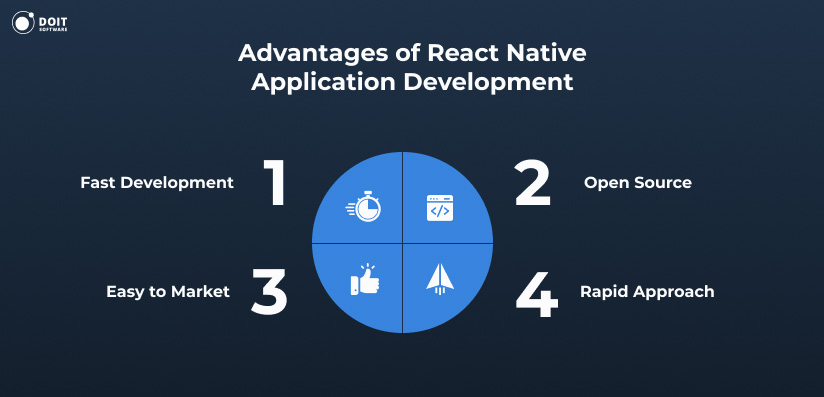
The following React Native review will help you determine whether it’s fit for a particular project.
The popularity of JavaScript gives numerous practical bonuses to React Native app development as a whole: faster hiring, faster product release, low project expenditures, easy maintenance, and more. The large open-source codebase means you can often reuse an existing component in a project.
Making a contribution to React Native and diving into its code is not a problem: here is its GitHub repository. More than 2,867 contributors have already helped to make it better. And impressively, React Native has 2.3 million users on GitHub here! The best React Native apps include Instagram, Pinterest, Discord, Shopify, and Facebook itself.
No tool is perfect in the domain of cross-platform development (not yet, at least), and the React Native limitations are evident.
Poor Documentation
Although the framework features a single, central base of knowledge (just like Flutter), even the proponents of React Native admit that the documentation could be better. Parts of the ecosystem lean on unofficial blogs or community wikis, so you’ll occasionally hit a library that’s under-documented.
Lots of connectible native libraries…but
Some of them still may not be fit to implement the functionality of your project in full. A few readily available components will need tweaking, and some you’ll have to discard and rewrite from scratch.
Only partial independence from a native platform
React Native isn’t 100% platform-agnostic. It often requires platform-specific logic and UI adjustments, especially when following Apple’s Human Interface Guidelines or Material Design principles on Android. In many cases, React Native teams need at least one iOS or Android native developer for advanced integrations.
Obviously, both of the frameworks occupy the same niche in software development and share the same general features. Both are good to build a mobile cross-platform MVP with the possibility to later re-use the code and extend it with any of the free official or community-provided add-ons. Both reduce time-to-market and project expenditures when developing for multiple platforms. How are they different though?
Flutter supports building apps for iOS, Android, Web, Windows, macOS, Linux, and embedded platforms using the same codebase. It also integrates with infotainment systems (e.g., Toyota) and other edge devices via Flutter Embedded. It is useful when an app needs to be reachable from almost any device: a phone, a tablet, a laptop, or a vehicle infotainment screen.
React Native focuses on iOS and Android, with community-supported extensions for Web (via React Native for Web) and desktop (via Microsoft’s React Native for Windows + macOS). Web support is solid for internal tools and PWAs but less consistent for SEO-heavy or highly interactive UIs.
Flutter compiles Dart code into native ARM or x64 machine code, which results in overall better performance. In other words, it eliminates the JavaScript bridge entirely. It uses its own rendering engine (Impeller, its own engine on both iOS and Android) for consistently smooth UI, especially in apps with heavy visual customization.
React Native runs on its New Architecture, with the Fabric renderer and the Hermes JavaScript engine handling rendering and JavaScript. The direct link between JavaScript and native code keeps latency low and startup times short. For apps using mostly standard UI patterns and native modules, React Native can perform just as well as Flutter.
Former JavaScript developers (web front-end or backend, for example) report that it is easier to learn React Native. No wonder! Flutter requires knowledge of Dart.
React Native projects tend to be more lightweight. It may not look as much of an advantage nowadays, but think of miniature wearable devices: one still has to be mindful of free space usage.
If your app will include AI features, it’s worth knowing how each framework handles them. For cloud-based AI, where the app calls a hosted model such as OpenAI’s GPT or Google’s Gemini, React Native has the advantage. The JavaScript ecosystem carries mature SDKs from every major AI provider, and you can reuse code from a web app.
For on-device AI, where the model runs on the phone itself, Flutter tends to do better. It compiles to native ARM code, which helps with the low-latency, compute-heavy work that local inference demands. React Native narrows the gap here with ExecuTorch, a toolkit that runs models such as Gemma directly on the device.
For Google’s Gemini and Firebase workflows, both are well covered. Google’s Firebase AI Logic ships SDKs for Flutter and React Native alike, and Flutter gets a little extra polish through its own Gemini packages and ready-made chat widgets.
Both of the frameworks are relatively young and thus cannot be labeled mature and rock-stable at the moment. The unforeseen performance drops are possible at any time. Meanwhile, both lead developers and communities keep improving them. So what are the specific cases when one framework should be preferred to the other?
The app will exert a heavy load on CPU/GPU
The app needs to use native UI components as-is
The UI will need a lot of detailed customization
The development team of your choice is fluent in JS/React/React Native (which is more likely than Dart fluency)
There’s a chance the app will go beyond mobile, or the next app will benefit from the experience of the current team
The app is relatively simplistic and meant to be lightweight
Fit for development on wearable and embedded devices, PCs, and vehicle infotainment systems
The app is web-based and / or mobile (iOS & Android) only
You need full control over rendering and visual consistency across platforms
You want to leverage third-party native SDKs easily
So overall, in the Flutter vs React Native comparison, the former is the more advanced solution.
Despite the fact that React Native developers are easier to come by, the mere fact that Flutter is backed up by Google makes it a serious React Native alternative to consider.
Flutter’s cross-platform development relies on the Dart compiler, while React Native builds on a JavaScript layer. React Native’s link between JavaScript and native code is direct, so overhead stays minimal, though it can still surface in high-load scenarios.
Flutter comes with its own rendering engine that enables genuinely unique designs, at the expense of a heavier app. React Native relies on native components that sometimes need customization by hand. A Flutter app can step into the desktop environment right away, while a React Native app needs third-party extensions or wrappers.
By the way, cross-platform app development is what DOIT software specializes in. So, are you looking for experienced mobile developers to help you launch a project from scratch or assist the main team with particular features? Get in touch; we’ll gladly do it for you.
Share your requirements and receive the first relevant CVs within days.
Request CVsGoogle authors and develops the former with the Dart programming language, and Meta leads the latter on JavaScript. Both frameworks are open-source and accept community contributions.
Yes. Flutter apps generally run faster in UI-intensive scenarios due to native compilation and its own rendering engine. React Native stays close behind thanks to the Hermes engine and Fabric renderer. In many apps, performance differences are minor.
Flutter tends to lead on performance and portability. However, React’s popularity makes React Native a strong rival, since its developers are easier to find.
Not likely, considering the quality and number of apps built with React Native. Flutter will keep thriving in the Google ecosystem, so neither framework is going anywhere in the Flutter vs React Native rivalry.